


 Απλή και γρήγορη πληρωμή
 Εκπτωτικά Κουπόνια
 Εύκολη παρακολούθηση παραγγελίας
 Εξατομικευμένες αγορές
![Matte GrizzGlass CarDisplay Protection DAF XDC NGD [2in1]](https://www.techstores.gr/storage/no-image-placeholder.jpg)
![Matte GrizzGlass CarDisplay Protection DAF XDC NGD [2in1]](https://media.techstores.gr/storage/no_image_placeholder/127x127/no-image-placeholder.webp?v=20260305)
Matte GrizzGlass CarDisplay Protection DAF XDC NGD [2in1]
εως 36 δόσεις με πιστωτική κάρτα


Χρειάζεσαι Βοήθεια; Συμπλήρωσε τα στοιχεία σου για να σε καλέσουμε άμεσα!
Έως 36 Δόσεις. Δείτε το πλάνο δόσεων:
TBI Bank
Buy Now Pay Later.

4 δόσεις 0% επιτόκιο, 20€ έως 300€
3 έως 60 δόσεις 300€ έως 100.00€
- 1. Αποστολή με ACS Courier
- 2. Αποστολές με μεταφορικές εταιρίες για ογκώδη αντικείμενα
-
3. Παραλαβή από αυτόματο μηχάνημα BoxNow:
Με την BoxNow μπορείς να παραλάβεις το δέμα σου από Αυτόματο Μηχάνημα Παραλαβής που βρίσκεται κοντά σου, όλες τις ώρες της ημέρας 24/7. Η υπηρεσία έχει χρέωση 3€. Υπάρχει δυνατότητα αντικαταβολής με επιπλέον χρέωση 1€.
-
4. Παραλαβή από το κατάστημα:
Λεωφ. Ελ. Βενιζέλου 73(πρώην Θησέως), Καλλιθέα
Συμπληρώστε τον ταχυδρομικό κωδικό για να λάβετε εκτίμηση τρόπου και κόστους μεταφορικών.
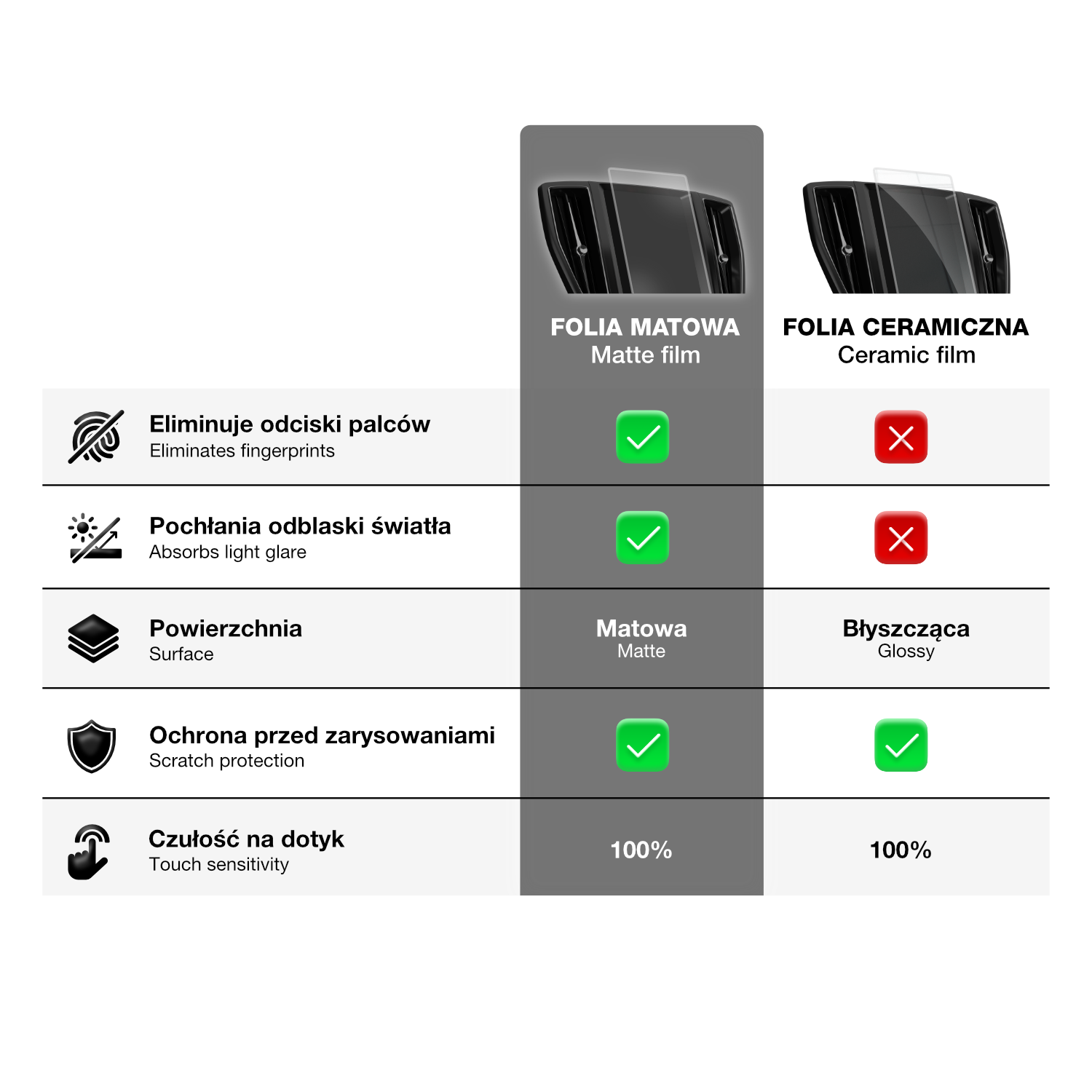
GRIZZ MatteScreen
⭐ Why buy CarDisplay Protection?
✔️ absorbs fingerprints
✔️ eliminates light reflections
✔️ perfectly fitted
✔️ excellent scratch protection
✔️ does not affect touch functionality
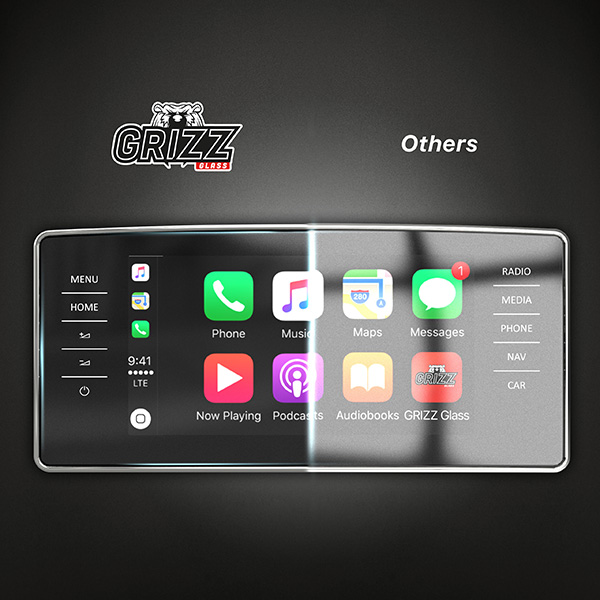
⭐ What is CarDisplay Protection Matte Film?
The matte film is a type of protective layer that reduces glare and reflections on the screen, improving visibility and readability of information displayed on the screen in various lighting conditions.
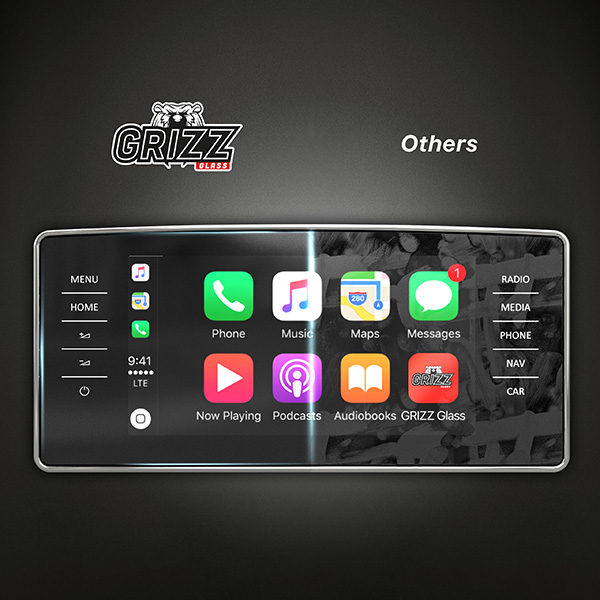
⭐ Reduces Fingerprints and Smudges
Compared to glossy surfaces, the matte surface reduces the visibility of greasy marks and dirt that can be left by fingers.
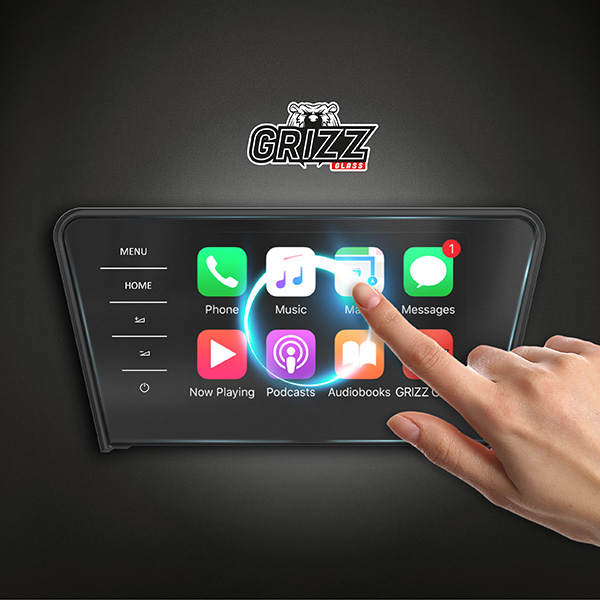
⭐ 100% Touch Sensitivity
The film is coated with a layer that minimizes fingerprints and greasy smudges. The glide of the finger and touch sensitivity is just like the device's screen.
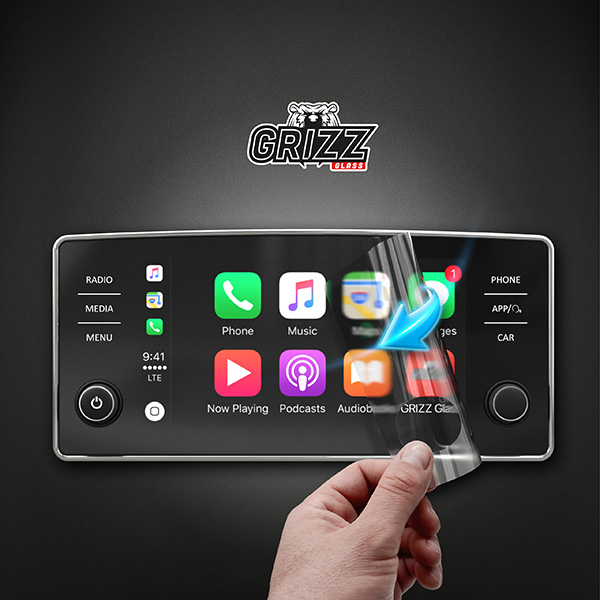
⭐ Durability
Thanks to its flexibility, Grizz CarDisplay Protection does not crack or shatter, while perfectly adhering to the screen. The comfort of use remains unchanged - at the highest level.
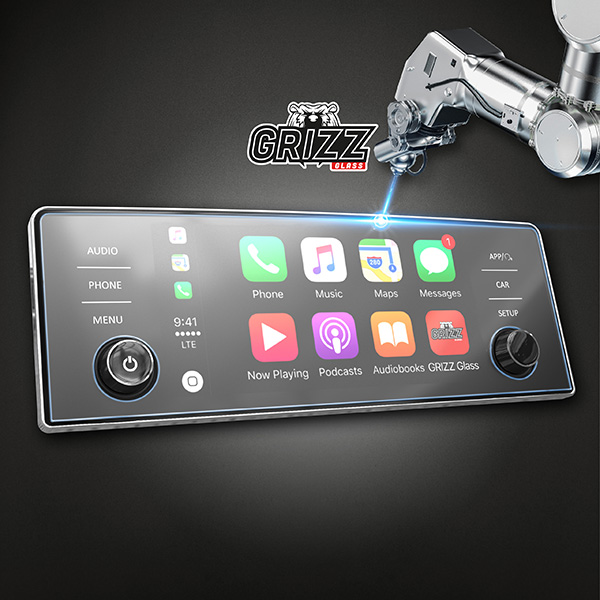
⭐ Perfect Fit
Using laser technology, the film is precisely cut to fit your device's screen. Perfectly fitted to the screen and almost invisible. Say goodbye to air bubbles along the edges.
⭐ Installation Instructions
- Thoroughly clean the screen. Remove the middle protective layer with the START label.
- Align the film, fit it perfectly from all sides, and swipe your finger through the center of the film.
- While pressing down on one part of the film, remove the next part of the START layer from underneath.
- While pressing down on the second part of the film, remove the remaining part of the START layer from underneath.
- Remove the FINISH layer by pulling on the label. Move the protective film parallel to the screen. Push out any remaining air with a squeegee. To remove any dust trapped under the film, use DustStix.
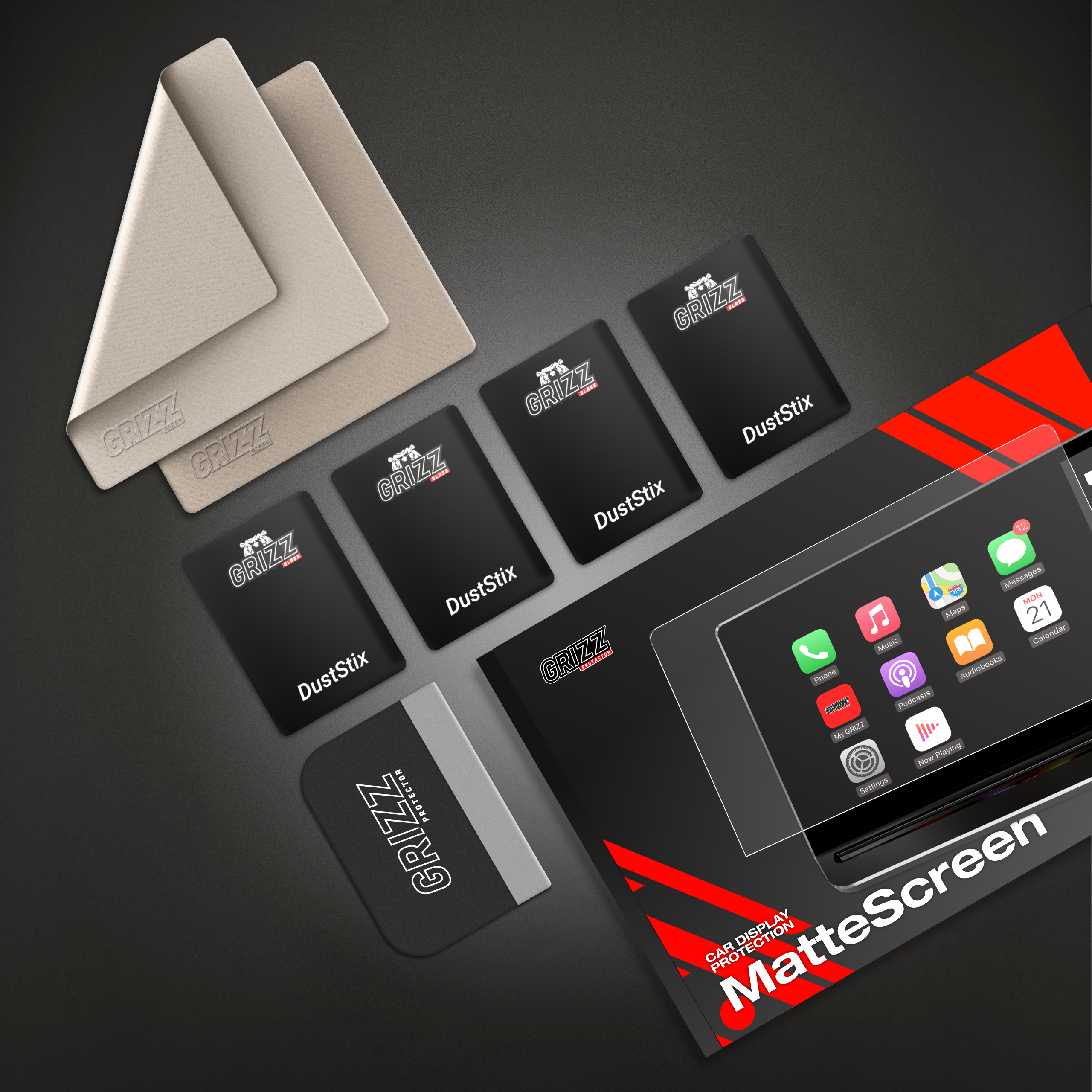
⭐ The installation kit includes:
1x squeegee
2x dry cloth
4x DustStix
1x original packaging
Αξιολογήσεις
Περιγραφή
GRIZZ MatteScreen
⭐ Why buy CarDisplay Protection?
✔️ absorbs fingerprints
✔️ eliminates light reflections
✔️ perfectly fitted
✔️ excellent scratch protection
✔️ does not affect touch functionality
⭐ What is CarDisplay Protection Matte Film?
The matte film is a type of protective layer that reduces glare and reflections on the screen, improving visibility and readability of information displayed on the screen in various lighting conditions.
⭐ Reduces Fingerprints and Smudges
Compared to glossy surfaces, the matte surface reduces the visibility of greasy marks and dirt that can be left by fingers.
⭐ 100% Touch Sensitivity
The film is coated with a layer that minimizes fingerprints and greasy smudges. The glide of the finger and touch sensitivity is just like the device's screen.
⭐ Durability
Thanks to its flexibility, Grizz CarDisplay Protection does not crack or shatter, while perfectly adhering to the screen. The comfort of use remains unchanged - at the highest level.
⭐ Perfect Fit
Using laser technology, the film is precisely cut to fit your device's screen. Perfectly fitted to the screen and almost invisible. Say goodbye to air bubbles along the edges.
⭐ Installation Instructions
- Thoroughly clean the screen. Remove the middle protective layer with the START label.
- Align the film, fit it perfectly from all sides, and swipe your finger through the center of the film.
- While pressing down on one part of the film, remove the next part of the START layer from underneath.
- While pressing down on the second part of the film, remove the remaining part of the START layer from underneath.
- Remove the FINISH layer by pulling on the label. Move the protective film parallel to the screen. Push out any remaining air with a squeegee. To remove any dust trapped under the film, use DustStix.
⭐ The installation kit includes:
1x squeegee
2x dry cloth
4x DustStix
1x original packaging


