


 Simple and fast payment
 Discount Coupons
 Easy order tracking
 Personalized shopping
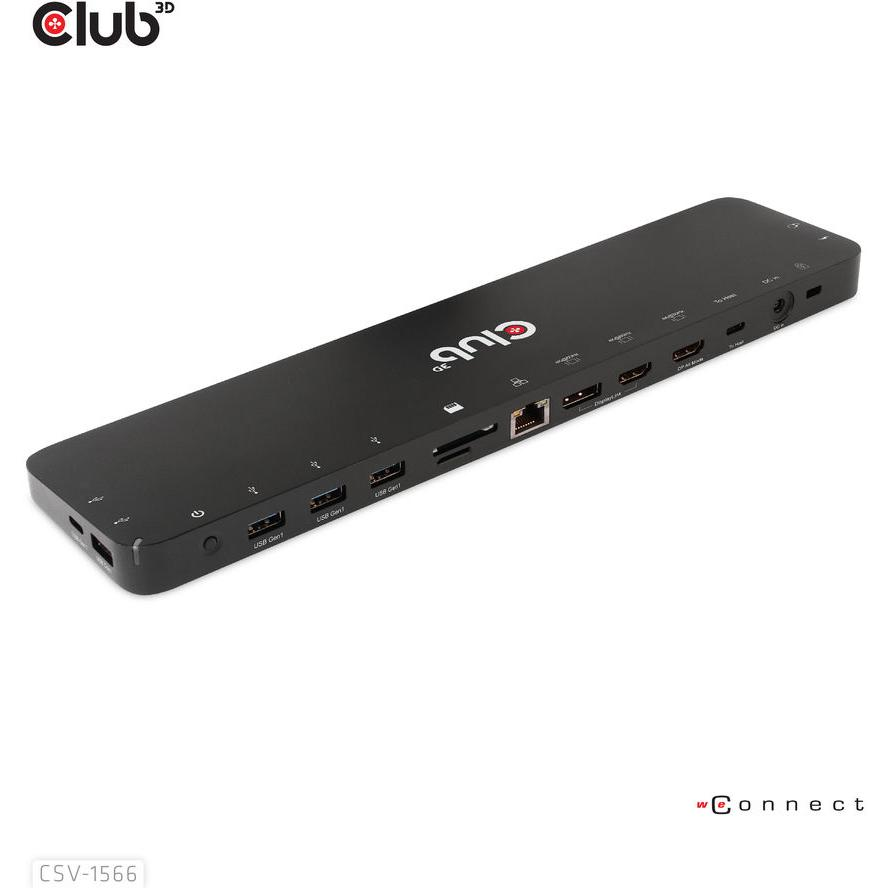
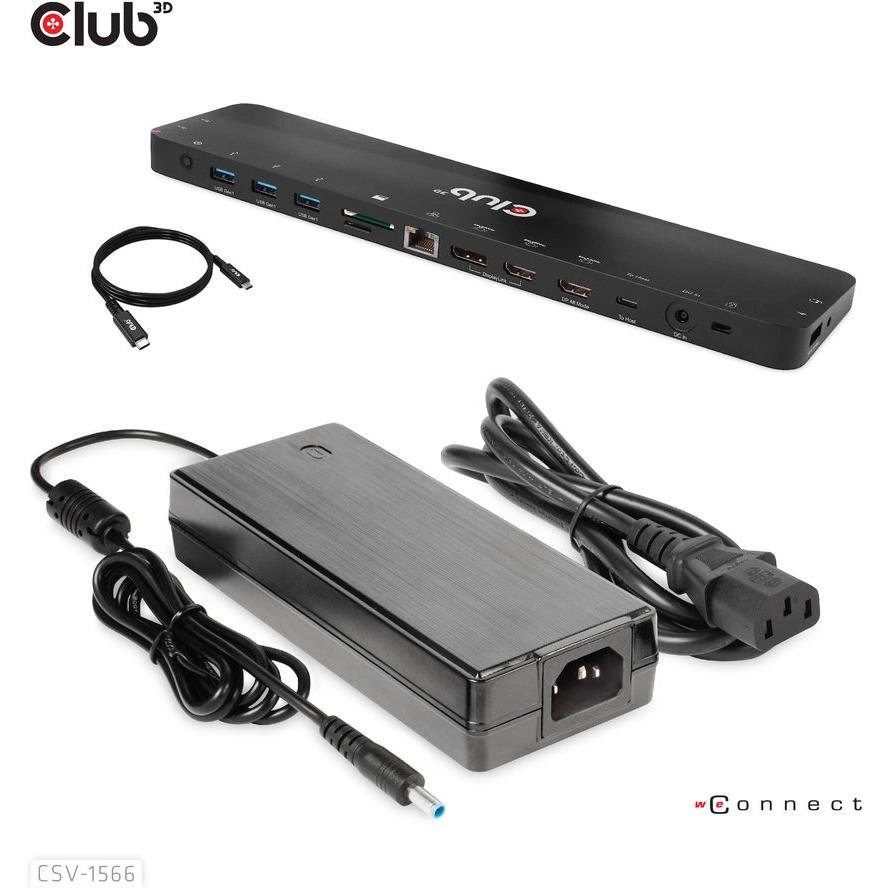


Docking Station Club3D 4K USB-C ->6xUSB3/DP/2xHDMI/LAN 120W retail
Product Code: 1117222520
Available in 4 - 10 days
314,07 €
or
9,81€ / month
εως 36 δόσεις με πιστωτική κάρτα
Quantity:
Add

Need Help? Fill in your details so we can call you immediately!
Έως 36 Δόσεις. Δείτε το πλάνο δόσεων:
TBI Bank
Buy Now Pay Later.

4 installments 0% επιτόκιο, 20€ έως 300€
3 to 60 installments 300€ έως 100.00€
- 1. Ship with ACS Courier
- 2. Αποστολές με μεταφορικές εταιρίες για ογκώδη αντικείμενα
-
3. Pickup from BoxNow automated machine:
Με την BoxNow μπορείς να παραλάβεις το δέμα σου από Αυτόματο Μηχάνημα Παραλαβής που βρίσκεται κοντά σου, όλες τις ώρες της ημέρας 24/7. Η υπηρεσία έχει χρέωση 3€. Υπάρχει δυνατότητα αντικαταβολής με επιπλέον χρέωση 1€.
-
4. Pickup from the store:
Leof. El. Venizelou 73 (former Theseos), Kallithea
Συμπληρώστε τον ταχυδρομικό κωδικό για να λάβετε εκτίμηση τρόπου και κόστους μεταφορικών.
-
Transmission technologydocking
-
Host interfaceUSB 3.2 Gen 1 (3.1 Gen 1) Type-C
-
Number of USB 3.2 Gen 1 (3.1 Gen 1) Type-A ports4th
-
Microphone inputyes
-
Built-in ethernet connectionyes
-
compatibilityNote: 1) This dock will not work without external power supply 2) When connected to DC power directly, without connecting to the host, this dock has normal function only for the (RED) USB smart charging port, the other ports do NOT function 3) When connected to a USB-A host via a USB-A to USB-C adapter, HDMI port 1 (DP Alt mode) does NOT function, other ports can be functional as if they where connected to the USB Type- C host 4) Please install the latest DisplayLink USB Graphics Driver on your computer before using this product. You can download the corresponding driver from our website WWW.CLUB-3D.COM 5) The light turns purple (blue + red) when turned on, turns blue when turned off (standby mode). This product is defaulted to be turned on once all connections are established; 6) Audio Graphics card can be switched among PC, DP Alt mode port connected display and the dock. If the audio graphics card is switched to the dock and a headset is connected, there's NO audio from the display.
-
CertificationMeets ROHS, FCC, and CE EMI requirements
Ratings
Technical Specifications
-
Transmission technologydocking
-
Host interfaceUSB 3.2 Gen 1 (3.1 Gen 1) Type-C
-
Number of USB 3.2 Gen 1 (3.1 Gen 1) Type-A ports4th
-
Microphone inputyes
-
Built-in ethernet connectionyes
-
compatibilityNote: 1) This dock will not work without external power supply 2) When connected to DC power directly, without connecting to the host, this dock has normal function only for the (RED) USB smart charging port, the other ports do NOT function 3) When connected to a USB-A host via a USB-A to USB-C adapter, HDMI port 1 (DP Alt mode) does NOT function, other ports can be functional as if they where connected to the USB Type- C host 4) Please install the latest DisplayLink USB Graphics Driver on your computer before using this product. You can download the corresponding driver from our website WWW.CLUB-3D.COM 5) The light turns purple (blue + red) when turned on, turns blue when turned off (standby mode). This product is defaulted to be turned on once all connections are established; 6) Audio Graphics card can be switched among PC, DP Alt mode port connected display and the dock. If the audio graphics card is switched to the dock and a headset is connected, there's NO audio from the display.
-
CertificationMeets ROHS, FCC, and CE EMI requirements


