


 Simple and fast payment
 Discount Coupons
 Easy order tracking
 Personalized shopping
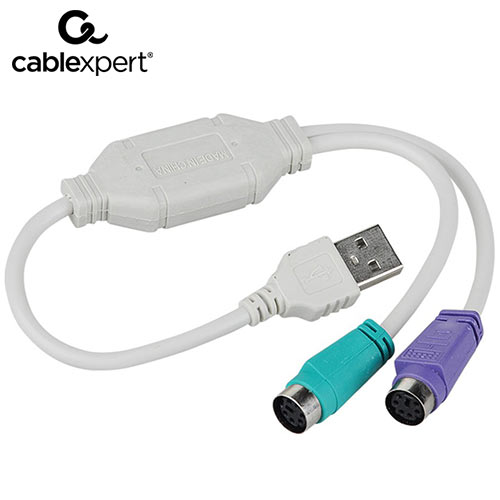
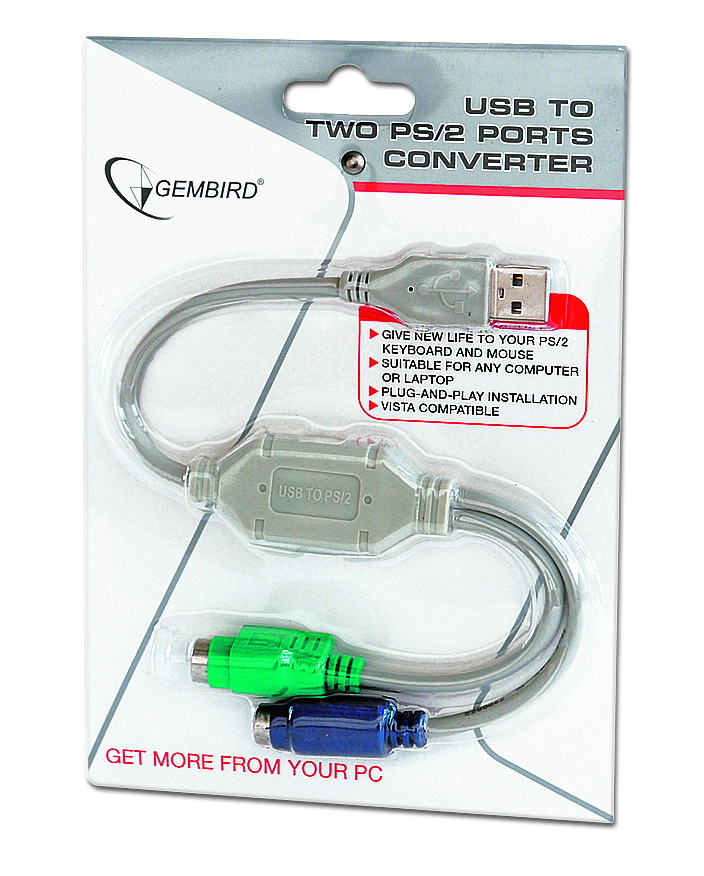


CABLEXPERT USB TO PS/2 CONVERTER CABLE 0,3M Converts USB port to two PS/2 ports Supports two PS/2 devices Simultaneously (keyboard & mouse) Easy to install, no external power supply required Compatible with USB v.2.0 and 1.1 Cable Length: 30 cm Compatible with: Windows...
More
Αντάπτορας USB Cablexpert USB to PS/2 CONVERTER 0,3M
Product Code: 1158351413
Available in 1 - 3 days
5,14 €

Quantity:
Add

Need Help? Fill in your details so we can call you immediately!
TBI Bank
Buy Now Pay Later.

4 installments 0% επιτόκιο, 20€ έως 300€
3 to 60 installments 300€ έως 100.00€
- 1. Ship with ACS Courier
- 2. Αποστολές με μεταφορικές εταιρίες για ογκώδη αντικείμενα
-
3. Pickup from BoxNow automated machine:
Με την BoxNow μπορείς να παραλάβεις το δέμα σου από Αυτόματο Μηχάνημα Παραλαβής που βρίσκεται κοντά σου, όλες τις ώρες της ημέρας 24/7. Η υπηρεσία έχει χρέωση 3€. Υπάρχει δυνατότητα αντικαταβολής με επιπλέον χρέωση 1€.
-
4. Pickup from the store:
Leof. El. Venizelou 73 (former Theseos), Kallithea
Συμπληρώστε τον ταχυδρομικό κωδικό για να λάβετε εκτίμηση τρόπου και κόστους μεταφορικών.
CABLEXPERT USB TO PS/2 CONVERTER CABLE 0,3M
- Converts USB port to two PS/2 ports
- Supports two PS/2 devices Simultaneously (keyboard & mouse)
- Easy to install, no external power supply required
| Compatible with USB v.2.0 and 1.1 |
| Cable Length: 30 cm |
| Compatible with: Windows XP/VISTA/Windows 7/8, NetWare, Unix, MAC OS 8.6 or higher. Also works with Sun Microsystems and HP Server computers |
| System requirements |
|---|
| Before installation, please make sure all peripherals and computers have been turned off |
| Connect PS2 mouse to the green mini-Din connector. Connect PS2 keyboard to the purple mini-Din |
| connector |
| Plug the adapter into the USB port of the computer |
| «Add new hardware» wizard will appear on the screen. Please, follow the instructions of the wizard to |
| install the necessary drivers |
Ratings
Description
CABLEXPERT USB TO PS/2 CONVERTER CABLE 0,3M
- Converts USB port to two PS/2 ports
- Supports two PS/2 devices Simultaneously (keyboard & mouse)
- Easy to install, no external power supply required
| Compatible with USB v.2.0 and 1.1 |
| Cable Length: 30 cm |
| Compatible with: Windows XP/VISTA/Windows 7/8, NetWare, Unix, MAC OS 8.6 or higher. Also works with Sun Microsystems and HP Server computers |
| System requirements |
|---|
| Before installation, please make sure all peripherals and computers have been turned off |
| Connect PS2 mouse to the green mini-Din connector. Connect PS2 keyboard to the purple mini-Din |
| connector |
| Plug the adapter into the USB port of the computer |
| «Add new hardware» wizard will appear on the screen. Please, follow the instructions of the wizard to |
| install the necessary drivers |


